
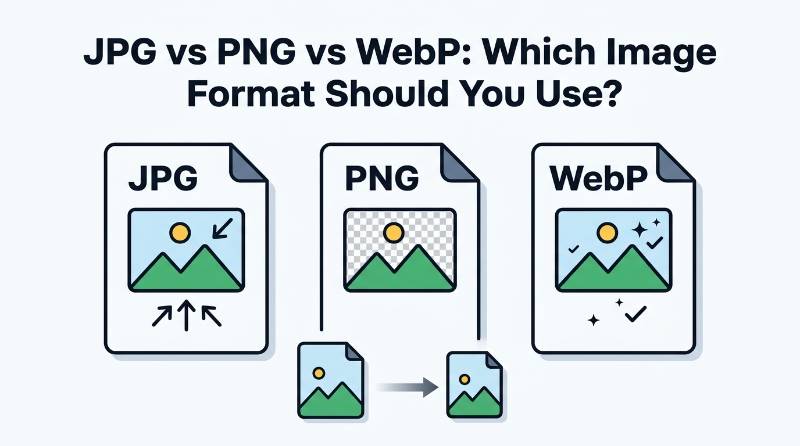
JPG vs PNG vs WebP: Which Image Format Should You Use
Choosing an image format sounds like a small decision, but it can make a noticeable difference when you are working with a website. The wrong format can leave you with a file that is larger than necessary, while the right one can keep the image looking good without taking up too much space.
JPG, PNG, and WebP are three formats you will come across frequently. They are not interchangeable in every situation. A photograph, a logo, and a simple graphic can have very different needs, so using the same format for everything is not always a good idea.
This guide explains the practical differences between JPG, PNG, and WebP, along with some simple examples to help you choose the right format for your own images.
JPG: A Good Choice for Photos
JPG is one of the most familiar image formats. It is commonly used for photographs because it can reduce file size considerably while keeping the picture looking good at normal viewing sizes.
If you have a photo taken with a smartphone or digital camera, JPG is often a sensible choice. A detailed photograph contains a lot of information, and storing every detail without compression can create a very large file. JPG reduces some of that information to make the file smaller.
The trade-off is that JPG uses lossy compression. In simple terms, some image information is removed during compression. At a reasonable quality level, the difference may be difficult to notice. With very aggressive compression, however, you may start seeing blurry edges, block-like areas, or lost fine details.
JPG is usually a practical option for:
• Photographs
• Travel pictures
• Blog images
• Product photos
• Images with many colors and fine details
If your image is mainly a photograph and does not need a transparent background, JPG is often the easiest place to start.
PNG: Better for Transparency and Sharp Graphics
PNG works differently from JPG and is particularly useful when you need transparency or want to preserve sharp details in graphics.
For example, imagine you have a logo with a transparent background. If you save it as JPG, the transparent area cannot remain transparent. PNG is a much better fit for this type of image.
PNG generally uses lossless compression. That means the image can be compressed without throwing away image information in the same way that JPG does. This is useful when preserving clean edges and small details matters.
PNG is a good choice for:
• Logos
• Icons
• Screenshots
• Simple illustrations
• Graphics with transparent backgrounds
There is one important downside: PNG files can become quite large, especially when the image contains lots of colors or photographic detail. Saving every photograph as PNG may therefore use much more storage than necessary.
WebP: A Modern Option for the Web
WebP was designed with the web in mind. It supports both lossy and lossless compression and can also handle transparency. This makes it a flexible option for many websites.
One reason website owners are interested in WebP is its ability to provide good image quality at a relatively small file size. For pages containing many images, reducing the size of each file can make the overall page lighter.
WebP can be useful for:
• Website photographs
• Blog images
• Product images
• Graphics
• Images where transparency is required
Modern browsers generally have strong WebP support, which is why it has become a common choice for websites. Still, you should consider where and how the image will be used before converting every file automatically.
JPG vs PNG vs WebP: What Is the Main Difference?
The easiest way to understand the three formats is to think about what kind of image you are dealing with.
JPG is usually a practical choice when the image is a photograph and keeping the file reasonably small is important.
PNG makes more sense when transparency, crisp edges, or preserving graphic details is more important than having the smallest possible file.
WebP is a strong option for many web-based images because it supports different compression methods and can produce relatively compact files.
There is no single format that wins in every situation. The best choice depends on the image itself and what you plan to do with it.
Which Format Should You Use for a Website?
If you are preparing images for a website, start by looking at the type of image rather than choosing a format simply because it is popular.
For a normal photograph, JPG or WebP will usually be more practical than PNG. For a logo with transparency, PNG or WebP may be more suitable. For a simple graphic where transparent areas are important, again, PNG or WebP can be useful.
The actual file size also matters. Two images with the same dimensions can have very different file sizes depending on their content and compression settings. A busy photograph, for example, may behave differently from a simple illustration.
Before uploading an image to your website, it is worth checking both its appearance and its file size. A tiny file is not automatically better if the image has become visibly poor.
What About Image Quality?
Image quality and file size are closely connected, particularly when using lossy compression. Reducing the file too aggressively can save space, but the result may not look as good.
This is why it is better to aim for a sensible balance. A website image does not always need to retain every tiny detail from the original camera file. At the same time, compressing it until text, faces, edges, or important details look damaged defeats the purpose.
A simple approach is to make a copy of the original image and experiment with the copy. Compare the original and compressed versions at the size at which visitors will actually see them.
Example: Choosing a Format for a Blog Image
Suppose you are writing a travel blog post and have a high-resolution photograph from your phone.
You could save the photograph as PNG, but the resulting file may be unnecessarily large. JPG would be a reasonable option because the image is a photograph and some compression is acceptable.
If your website supports WebP, you could also use WebP and compare the result. If the WebP version looks just as good for your intended display size while taking up less space, it may be the better choice for that particular page.
Now consider a different situation. You have a website logo with a transparent background. JPG would not be the natural choice because transparency is important. PNG or WebP would make more sense.
This simple example shows why the answer to “Which image format is best?” depends on the image rather than on a universal rule.
How to Reduce the Size of JPG, PNG, or WebP Images
Once you have selected the appropriate format, you can reduce the file size further with an image compression tool. This is particularly helpful when the original image is much larger than what you actually need.
With BN Web Tools Image Compressor, you can compress supported images directly in your browser. You can adjust the available quality settings and maximum width according to your needs, then check the resulting file before using it.
For example, if a photograph is several megabytes but you only need it for a normal blog post, you may not need to upload the original full-size file. Compressing a suitable copy first can make the image easier to upload and store.
A Simple Rule to Remember
You do not need to memorize every technical detail about image formats. A simple rule is enough for most everyday situations.
Use JPG for most ordinary photographs.
Use PNG when transparency or very clean graphic details matter.
Use WebP when you want a modern web-friendly format with flexible compression options.
After choosing the format, check the image at its intended display size and make sure the file is not larger than it needs to be. That small step can save storage space and make managing website images much easier.
Share this article
BnwebTools Team
Helping you work smarter with free online tools
How to Convert HEIC Photos to JPG Without Losing Too Much Quality
How Large Should Website Images Be? A Practical Guide to Image File Size
💬 Comments
No comments yet. Be the first to share your thoughts!