
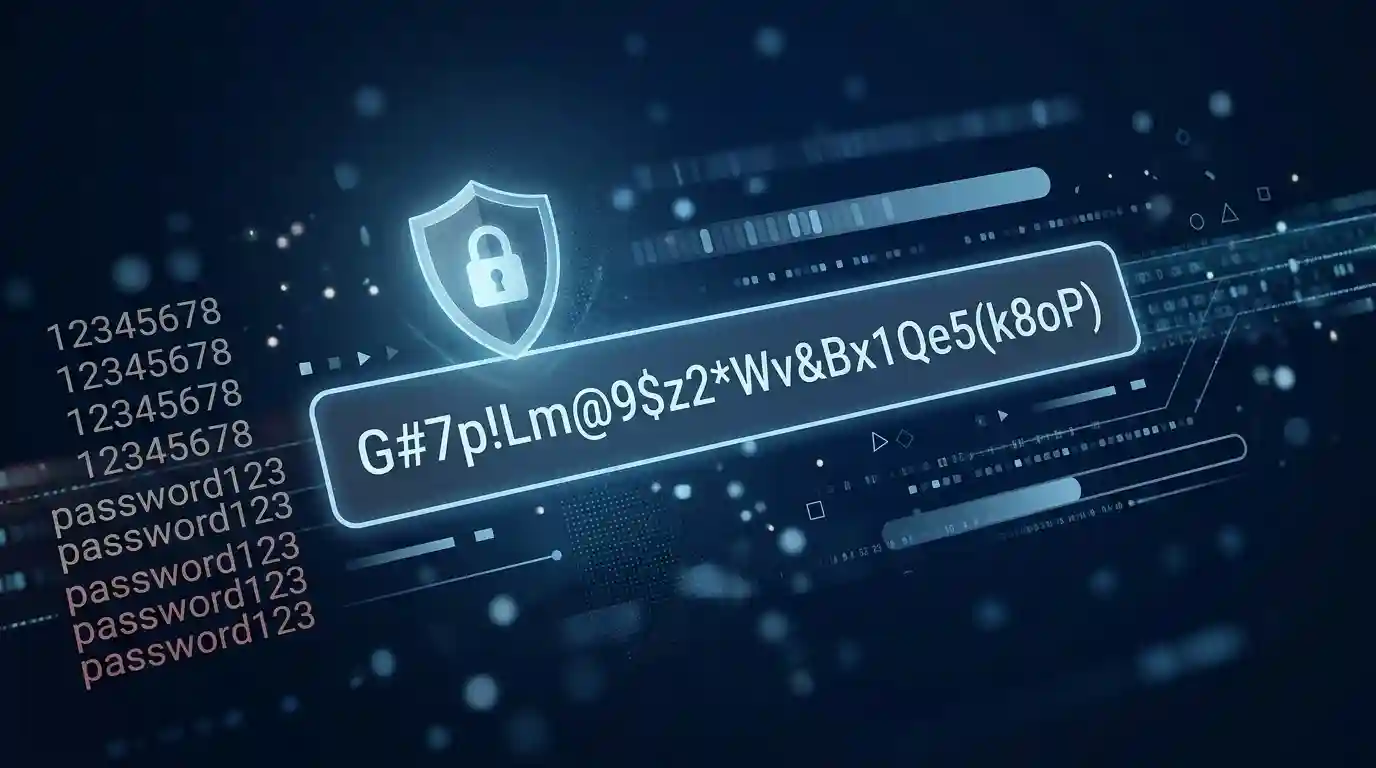
What Makes a Password Strong? Length, Randomness and Common Mistakes
A password can look complicated and still be surprisingly easy to guess.
That is one of the strange things about online security. A password containing capital letters, numbers and symbols may give you the impression that it is strong, but those characters do not automatically make a password difficult to predict. If the password follows a pattern that people commonly use, an attacker may not need to try every possible combination.
On the other hand, a long password that does not look particularly complicated can be much harder to guess.
So what actually makes a password strong?
The answer comes down to several things, but three ideas matter more than most: length, unpredictability and uniqueness. How the password was created also matters. A password based on your name, birthday, favorite team or a familiar phrase can contain many characters and still be a poor choice.
This guide explains what makes passwords difficult to guess, why longer passwords usually help, where randomness fits into the picture, and which everyday mistakes can quietly weaken account security.
What Does Password Strength Really Mean?
Password strength is basically about how difficult it would be for someone else to discover your password.
Imagine two passwords:
Summer2026!
and
q7V!m2R#pL8@xK4z
The second password looks stronger because it is longer and less predictable. But appearance alone is not the real reason. The important difference is how predictable each password is.
The first example contains a familiar word, a year and a common symbol. Someone trying likely passwords could test variations of that pattern without having to search through every possible combination.
The second example does not give an obvious clue about how it was created.
That distinction is important. Password security is not a competition to see how many symbols you can squeeze into a short string. It is about reducing the number of realistic guesses an attacker can make.
Length Is One of the Biggest Factors
If you remember only one thing from this article, remember this: a longer password is generally harder to guess than a shorter password.
Every additional character increases the number of possible combinations. When the characters are selected unpredictably, that increase can become enormous.
For example, if a password uses only lowercase letters, there are 26 possible choices for each position. A short password therefore has a much smaller search space than a longer one.
Once more positions are added, the number of possible combinations grows rapidly.
This is why a password such as:
greenhouse
is not necessarily made secure simply by changing it to:
Greenhouse1!
The second version looks more complicated, but it is still based on a familiar word followed by a predictable modification.
A longer secret with less predictable construction can provide a much better defense.
How Long Should a Password Be?
There is no single length that makes every password safe in every situation. The security of a password depends on how it was created, how it is protected by the service, and what type of attack is being considered.
Still, length should not be treated as an afterthought.
Modern password guidance places considerable emphasis on allowing and encouraging long passwords and passphrases. NIST's current digital identity guidance, for example, recommends that services support passwords of at least 64 characters and does not recommend arbitrary composition rules as the main way of improving memorized-password security.
For everyday accounts, choosing a password that is substantially longer than the old eight-character minimum is a sensible approach when the website allows it.
The important point is not to become obsessed with one magic number.
A long password that is based on your name, address or a predictable phrase can still be vulnerable. Length works best when it is combined with unpredictability and uniqueness.
Why Randomness Matters
Randomness is what prevents a password from following an obvious pattern.
People are surprisingly predictable when creating passwords. We tend to use words we already know, add familiar numbers, capitalize the first letter and place a symbol at the end.
Consider a person who normally uses:
FootballFan2026!
If the website suddenly requires a new password, that person might create:
FootballFan2027!
Technically, the password changed. Practically, the underlying pattern remained almost identical.
An attacker who understands common password habits can take advantage of exactly this type of behavior.
A password generated without a personal pattern is much less likely to contain these predictable shortcuts.
Random Does Not Mean Complicated for the Sake of It
There is a common misunderstanding about random passwords.
Some people think randomness means throwing a few symbols into a familiar word.
It does not.
Dragon2026! is not meaningfully random simply because it contains an uppercase letter, numbers and a symbol.
Randomness is about how the characters were selected, not how unusual the final password looks.
A machine-generated password can avoid the habits people naturally introduce when choosing secrets themselves. That can be particularly useful for accounts where remembering the password is not necessary because a password manager is available.
If you want to create a fresh password rather than modifying an old one, you can use the BN Web Tools Password Generator to generate one instead of building a predictable pattern by hand.
Character Variety Still Has a Place
Numbers, uppercase letters, lowercase letters and symbols can increase the number of possible combinations when they are selected unpredictably.
However, character variety should not be confused with the main goal of password security.
A short password with several character types may still be easier to guess than a much longer password.
For example, adding ! to the end of a familiar word is not a major improvement if millions of people use the same idea.
This is one reason modern password guidance has moved away from treating complicated composition rules as the entire solution.
If a website requires a combination of character types, follow its requirements. But when you have a choice, do not sacrifice length simply to create a password that looks complicated.
Common Password Mistake #1: Using Your Name
Your name is easy to remember, which is exactly why it is a poor secret.
People often use their own name, a partner's name, a child's name or the name of a pet.
Those details may already be visible through social media profiles, public posts, usernames or conversations.
Even if the exact name is not publicly available, names are among the first categories people commonly try when making guesses.
A password should not depend on information that someone could reasonably learn about you.
Common Password Mistake #2: Adding Your Birth Year
Adding a year does not magically make a password unpredictable.
Passwords such as:
Rahim1998
Dhaka2001
Summer2026
follow patterns that are easy to understand.
Birth years, graduation years, favorite years and current years are especially tempting additions because they are easy for the owner to remember.
Unfortunately, they are also easy patterns for attackers to test.
Common Password Mistake #3: Reusing the Same Password
Password reuse creates a different kind of problem.
Suppose you use the same password for your email, shopping account and social media account. If one service suffers a data breach and your password is exposed, an attacker may try the same credentials on other websites.
That means one compromised account can potentially become the starting point for attacks against several others.
Using a unique password for each important account limits this chain reaction.
You do not necessarily need to memorize dozens of unrelated passwords. A reputable password manager can handle that part for you.
Common Password Mistake #4: Making Small Changes to Old Passwords
Changing MyPassword1! to MyPassword2! may feel like creating a new password, but the basic structure has not changed.
The same problem appears when people rotate between a few familiar passwords:
Facebook123!
Facebook1234!
Facebook@123!
These variations may satisfy a website's password rules while keeping the underlying pattern predictable.
A genuinely different password should not simply be a minor edit of the previous one.
Common Password Mistake #5: Using Keyboard Patterns
Keyboard patterns are convenient.
They are also not good secrets.
Examples such as:
qwerty123
asdfgh
12345678
are easy to type and easy to remember. That convenience is exactly what makes them poor password choices.
Attackers do not only test random combinations. Password-guessing systems can prioritize common passwords and familiar patterns.
Common Password Mistake #6: Using One Word and Decorating It
Another common habit is taking a normal word and decorating it.
For example:
Welcome123!
Monkey@123
Password2026!
The extra characters may satisfy a website's technical requirements, but they do not necessarily make the underlying password unpredictable.
A password should not become predictable simply because its final character is a symbol.
Common Password Mistake #7: Using Personal Information
Personal information should not be treated as secret simply because it belongs to you.
Your birthday, hometown, school, workplace, phone number, favorite player, favorite movie or pet's name may be memorable, but many of these details can appear online.
Even information that is not publicly visible can still be guessed if someone knows you personally.
The best password does not require someone to know your biography in order to create it.
Common Password Mistake #8: Sharing Passwords
A strong password loses much of its value when it is shared casually.
Sending a password through an ordinary chat message, writing it on a visible note or giving it to another person creates additional ways for that secret to be exposed.
Sometimes sharing is unavoidable in a work environment, but access should be handled through proper account and permission systems whenever possible.
If another person needs access to a service, creating an individual account for that person is generally safer than passing around one shared password.
Passphrases Can Be Easier to Remember
Not every strong password needs to look like a random explosion of symbols.
A passphrase can use several words to create a longer secret that is easier for a person to remember.
The important part is that the words should not form an obvious quotation, common phrase or predictable sentence.
For example, simply using a famous saying is not a good idea because well-known phrases are already familiar to attackers.
A passphrase should be long and difficult to predict, not merely something that looks like a sentence.
For accounts that support password managers, a randomly generated password may be even more convenient because you do not have to memorize it at all.
Why Password Managers Change the Equation
People often choose weak passwords because remembering dozens of strong, unique passwords is difficult.
That is a real usability problem.
A password manager can solve much of it by storing unique credentials and filling them in when needed. This means you can use a different password for each website without trying to memorize every character.
It also removes one of the biggest reasons people reuse passwords.
There is still one password that deserves special attention: the password or passphrase protecting the password manager itself. That credential should be strong and protected carefully, because access to the vault may provide access to many other accounts.
What About Special Characters?
Special characters are useful, but they are not a magic ingredient.
A common mistake is believing that adding !, @ or # automatically turns a weak password into a strong one.
Consider these two examples:
Bangladesh123!
v8Qm7@zL2#rP6xT9
The first one has several character types, but it follows an obvious human-created pattern. The second one is longer and less predictable.
The lesson is simple: do not judge password strength only by the number of character categories it contains.
Why “Password123!” Is Still a Bad Password
It is tempting to think that a password becomes secure after satisfying a website's checklist.
At least one uppercase letter? Done.
At least one number? Done.
At least one symbol? Done.
Unfortunately, attackers know these rules too.
When websites force people to modify familiar passwords, users often make predictable changes. A number may be added at the end. The first letter may become uppercase. An exclamation mark may appear as the final character.
These patterns are not secrets.
This is why modern guidance puts greater emphasis on length, blocklists for known-compromised passwords and resistance to guessing rather than relying entirely on composition requirements.
Strong Passwords Are Not the Same as Unbreakable Passwords
You will sometimes see the word “unbreakable” used when talking about passwords.
That wording should be treated carefully.
No password should be considered permanently immune to every possible attack.
A strong password can make guessing dramatically more difficult, but attackers have other methods available. Phishing, malware, stolen browser data, credential theft and compromised websites can bypass the question of password complexity altogether.
For that reason, password security should be considered part of a larger security strategy rather than a complete solution by itself.
Phishing Can Defeat a Very Strong Password
Imagine you have created an extremely long and random password.
That is useful, but if you enter it into a fake login page controlled by an attacker, the password can still be stolen.
The password itself did not fail. The login process was compromised.
This is why you should check the website address before entering credentials, especially when you reach a login page through an email, message or unexpected notification.
Multi-factor authentication can provide another layer of protection because a password is no longer the only requirement for access.
What Makes a Password Weak?
A password becomes risky when it is easy to predict, reused across accounts, based on public information, or exposed through careless handling.
Some warning signs are particularly common:
- It contains your name or username.
- It contains your birthday or another important date.
- It is based on a common dictionary word.
- It uses a familiar keyboard sequence.
- It is only a small variation of an older password.
- You use it on multiple websites.
- It contains a popular phrase or quotation.
- You have already shared it with someone else.
- It has appeared in a previous data breach.
If several of these apply to a password, changing it is worth considering.
A Simple Way to Think About Password Strength
Instead of asking, “Does my password contain a capital letter, number and symbol?” ask a few different questions.
Is it long?
A longer secret generally creates a larger space of possible combinations.
Is it unpredictable?
Could another person reasonably guess the pattern from knowing your habits?
Is it unique?
Does another account use the same password?
Has it been exposed?
Has the password appeared in a known breach or been shared somewhere it should not have been?
Can you protect it properly?
Are you storing it in a safe place instead of keeping it in an exposed note or message?
These questions tell you much more than simply counting symbols.
Should You Change Your Password Regularly?
Changing passwords on a fixed schedule sounds like good security advice, but forced periodic changes can sometimes encourage poor behavior.
People who know they must change a password every few months may create predictable sequences instead of genuinely new passwords.
For example, they may move from one familiar password to the same password with a different number.
A better approach is to use unique passwords and change them when there is a reason to do so, such as suspected compromise, exposure in a breach or another security incident.
If a service tells you that your password has been compromised, do not simply modify the old password by changing one character. Create a genuinely new credential.
What About Password Strength Meters?
Password strength meters can be useful, but they should not be treated as perfect security measurements.
A meter usually makes an estimate based on characteristics of the password. It cannot know every possible attack strategy, every leaked password database or every piece of information an attacker may have about you.
For example, a password containing your unusual-looking surname might receive a reasonable score from a basic checker while still being a poor choice if that surname is publicly connected to you.
Use strength indicators as guidance rather than as proof that a password is safe.
What Should You Do With Old Passwords?
If you have been using the same password for years, there is little benefit in keeping it simply because it has never caused a visible problem.
Old credentials may have appeared in breaches without you realizing it.
Start with accounts that matter most, such as your primary email account, financial services, cloud storage and other accounts that can be used to reset additional passwords.
Create unique credentials for those services and enable multi-factor authentication where available.
After that, work through less important accounts gradually.
Your Email Password Deserves Extra Attention
Your main email account can be particularly important because email is often used for password resets.
If someone gains access to your email, they may be able to request password-reset links for other services.
That makes the security of your email account more important than simply protecting another ordinary website login.
Use a unique password for your email account and enable an additional authentication method whenever the service supports it.
Do Not Forget About Account Recovery
Password security is not only about the password field.
Recovery email addresses, phone numbers, backup codes and authentication methods can all affect whether an attacker can regain access to an account.
Keep recovery information current and protect backup codes just as carefully as you would protect the password itself.
A strong password paired with an insecure recovery method can still leave an account exposed.
A Practical Password Strategy for Everyday Users
You do not need to become a cybersecurity expert to improve your password habits.
A practical approach looks something like this:
- Use a different password for every important account.
- Prefer long passwords instead of short passwords packed with predictable symbols.
- Avoid names, birthdays, phone numbers and other personal information.
- Do not use common phrases or keyboard patterns.
- Do not recycle an old password by changing only one character.
- Use a password manager when possible.
- Enable multi-factor authentication on important accounts.
- Pay attention to breach notifications and security alerts.
- Be careful where you enter your credentials.
- Never assume that a password is safe simply because it looks complicated.
When Should You Use a Password Generator?
A password generator is especially useful when you need a credential that does not depend on your personal habits.
Instead of thinking of a word, adding a few numbers and then attaching a symbol, you can let software create a new value for you.
This approach is useful for accounts where you do not need to remember the password manually.
If you want to generate a password for a new account, you can try the Password Generator and Manager on BN Web Tools. It provides a convenient way to create a fresh password instead of relying on a familiar personal pattern.
The important thing is not simply to generate something that looks complicated. The goal is to use a password that is long enough, difficult to predict and not reused elsewhere.
Final Thoughts
A strong password is not necessarily the password that looks the most complicated.
The better question is whether the password is difficult for another person or automated guessing system to predict.
Length gives the attacker more possibilities to work through. Randomness removes familiar patterns. Uniqueness prevents a single exposed password from opening multiple accounts.
At the same time, even a very strong password cannot protect you from every threat. Phishing, malware, stolen credentials and insecure recovery methods can create problems outside the password itself.
Good password security therefore comes from several simple habits working together: use long and unpredictable passwords, never reuse important credentials, keep them protected, and add another layer of authentication when possible.
You do not need to make your passwords unnecessarily complicated. You simply need to stop making them predictable.
Share this article
BnwebTools Team
Helping you work smarter with free online tools
How to Combine Multiple PDF Files Into One Organized Document
How Many Words Should a Blog Post Have? A Practical Content Planning Guide
💬 Comments
No comments yet. Be the first to share your thoughts!